

Samsung launches ‘Samsung Smart Keyboard Trio 500’
The Smart Keyboard Trio 500 takes just moments to set up and securely connect to a device. Simply, switch it on, hold down the Bluetooth key and an alert will pop up on the user device’s screen. Tap “connect,” type the 6-digit code that displays on your screen, and the user will be ready to go.
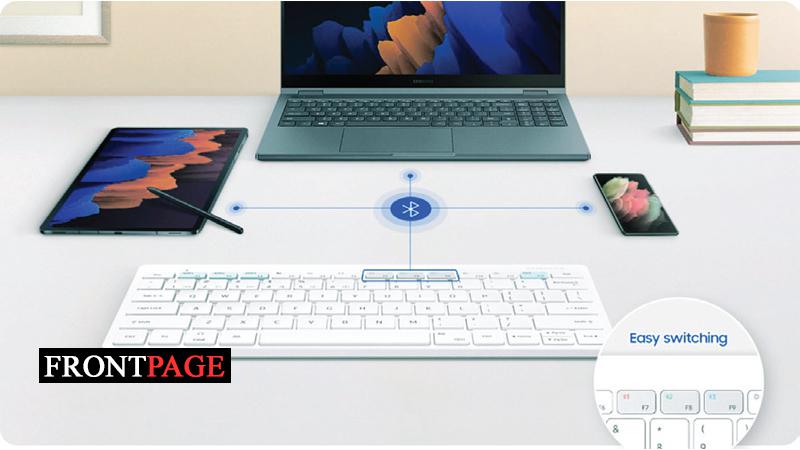
Additionally, users can pair the Samsung Smart Keyboard Trio 500 with up to three different devices at once via Bluetooth and easily switch between each device with just the click of a button, making for effortless multitasking. Say someone is typing notes on its laptop and need to respond to a message on your smartphone quickly, can switch between devices instantly, without any hassle.
Users can also customize their Samsung Smart Keyboard Trio 500 by choosing three favourite apps on each device to open instantly when press one of the three designated keys built into the keyboard.
With Smart Keyboard Trio 500, users can put their Galaxy smartphone or tablet in DeX mode – a software platform that extends the smartphone or tablet into a desktop computing experience – with just the push of a button.
The Samsung Smart Keyboard Trio 500 features keys that are almost the same size as a regular keyboard, while offering much more convenient mobility.